First Run
This section describes how to start the system for the first time and verify that it is operating correctly.
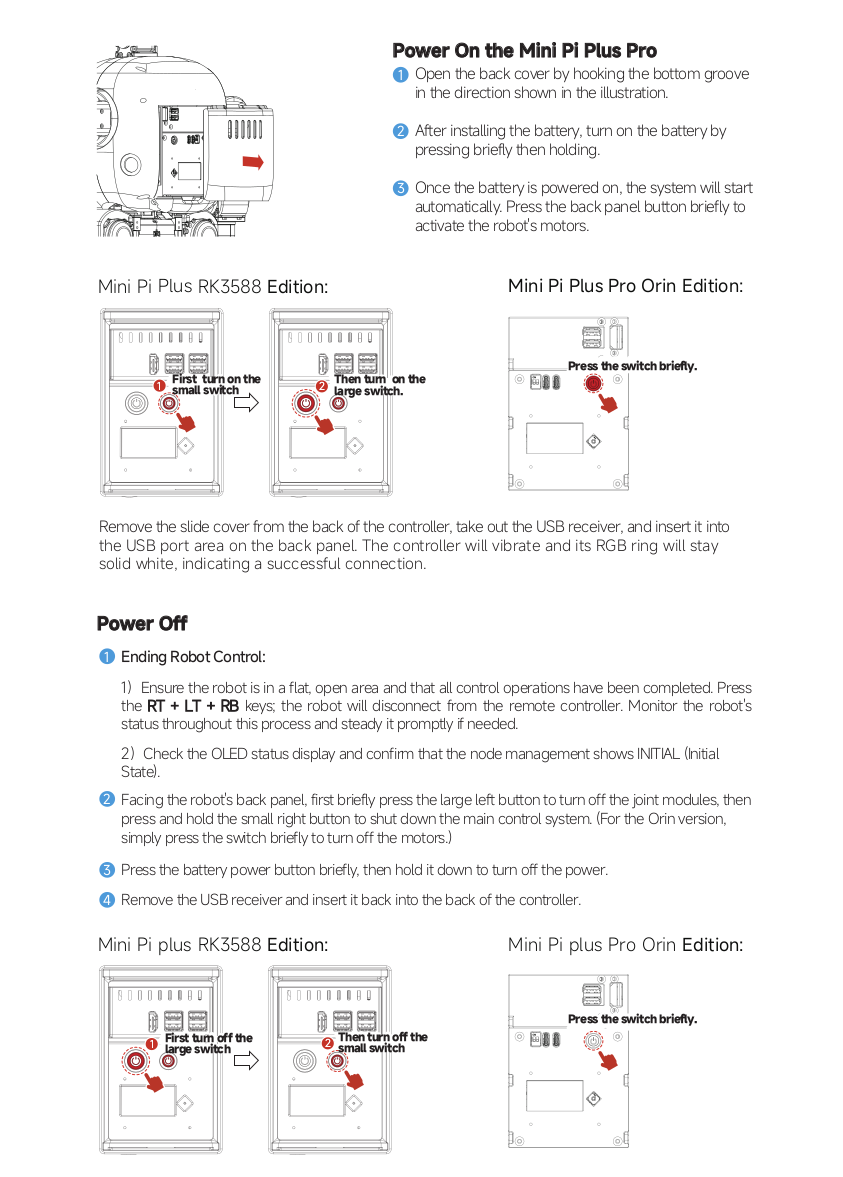
Power-On Procedure
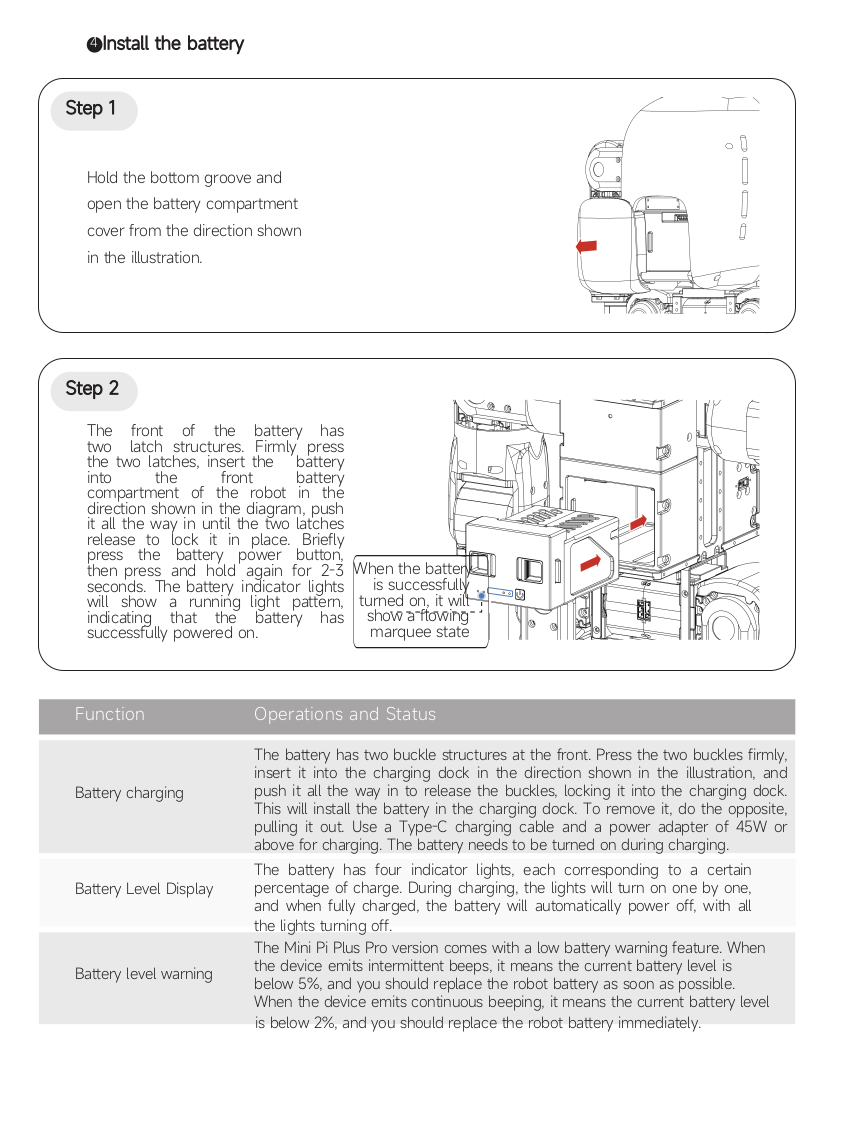
Follow the correct procedure when powering on the system.
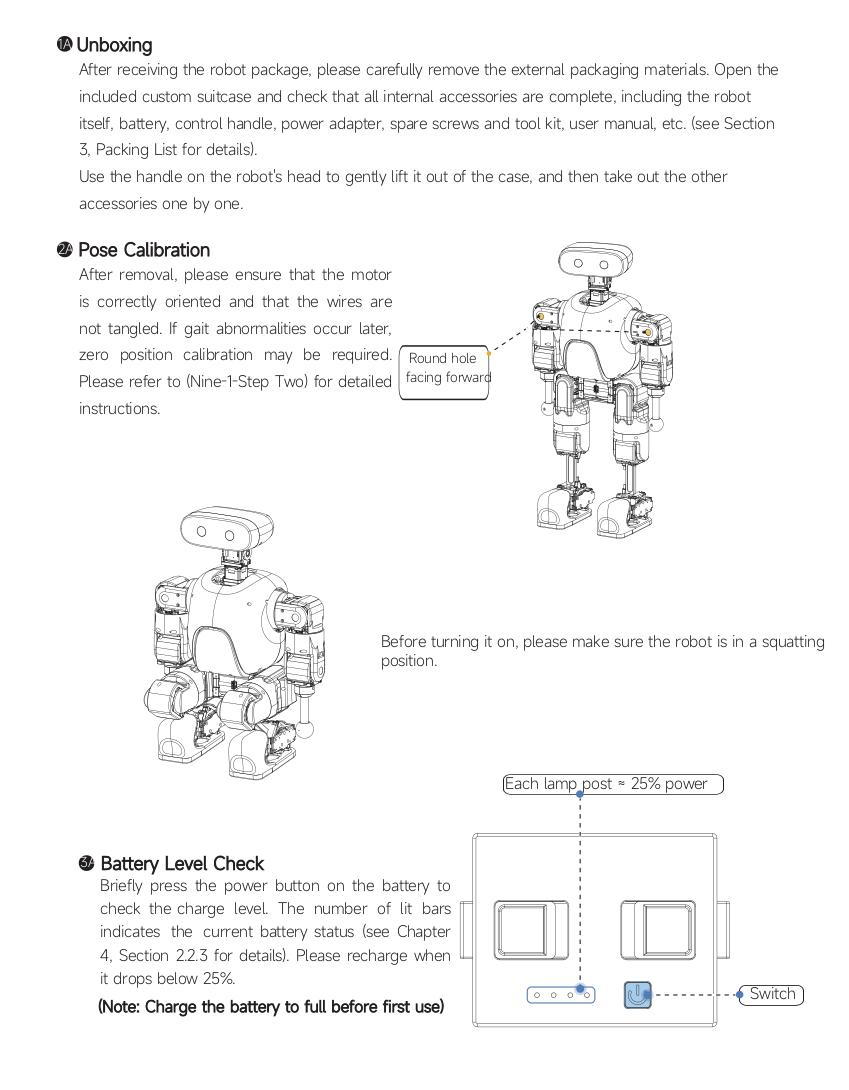
- Ensure all hardware connections are completed.
- Confirm that the power supply is properly connected.
- Verify that the surrounding environment is safe.
- Turn on the power.
Do not power on the system if any connection is incomplete.
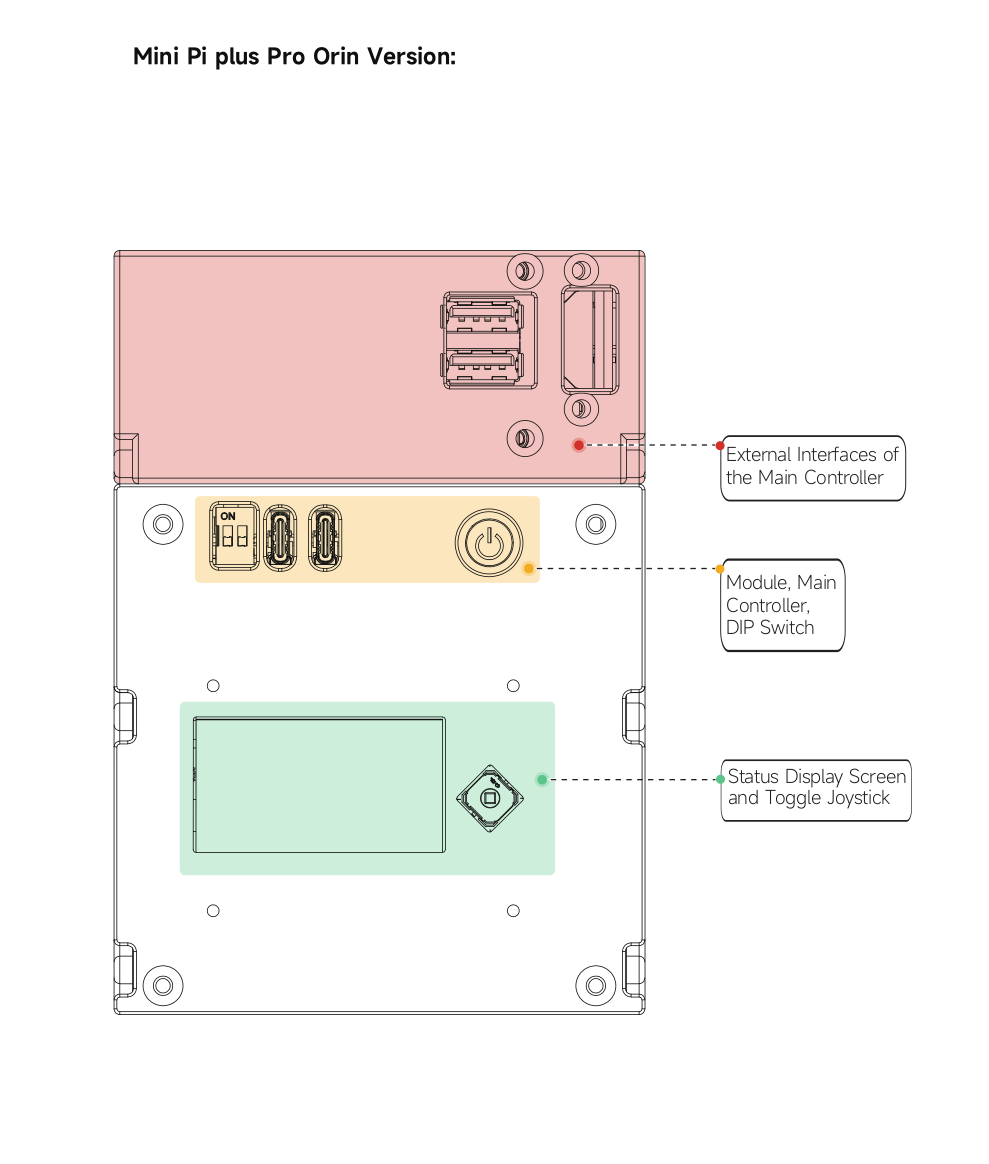
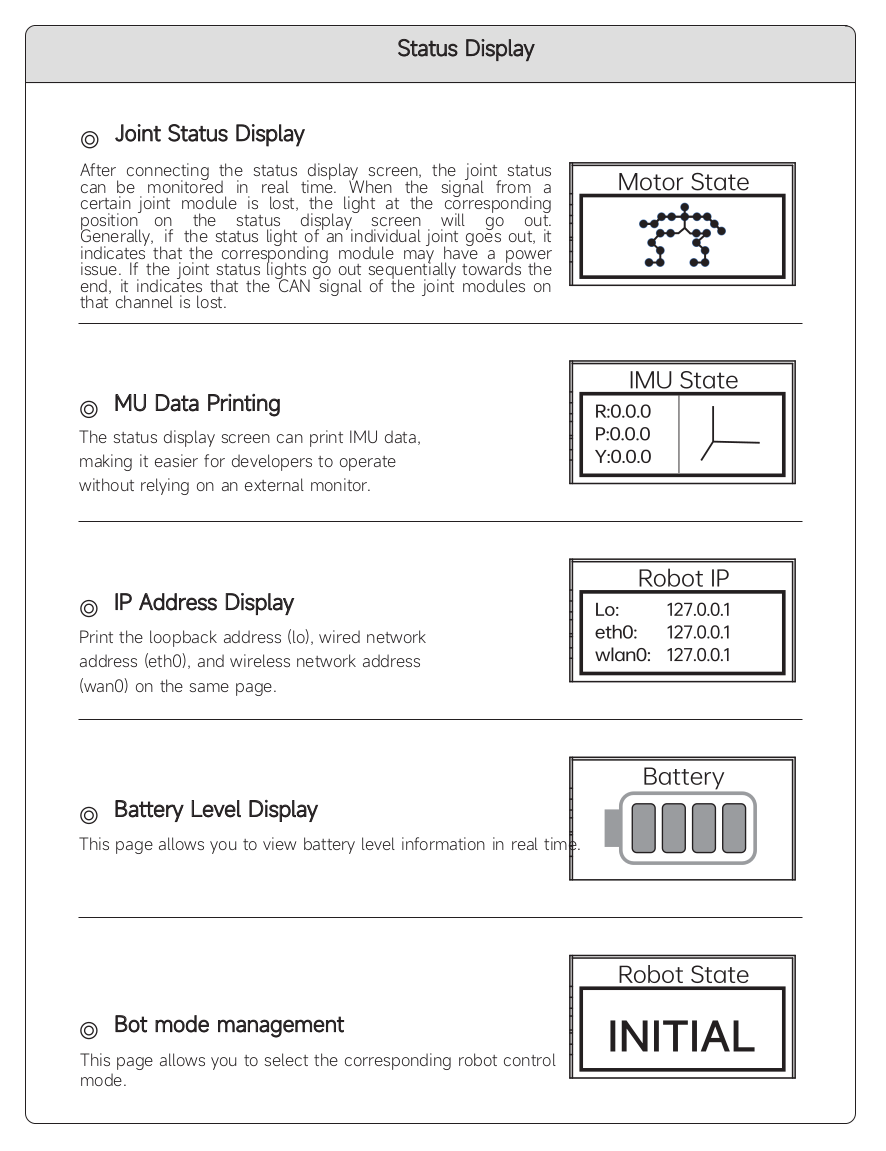
Hardware Interface Overview
System Initialization
After powering on, the system will begin its initialization process. During this stage:
- The control system starts up
- Hardware modules are initialized
- Sensors and devices begin operation
Do not interfere with the system during initialization.
Status Check
After the system has started, check whether it is operating normally. Verify the following:
- The system is powered on successfully
- No abnormal sounds or movements are observed
- All modules appear to function normally
If any abnormal condition is observed, immediately stop the system and inspect the setup.
Boot Process
Step 1: Power On
Step 2: System Initialization
Step 3: Controller Ready
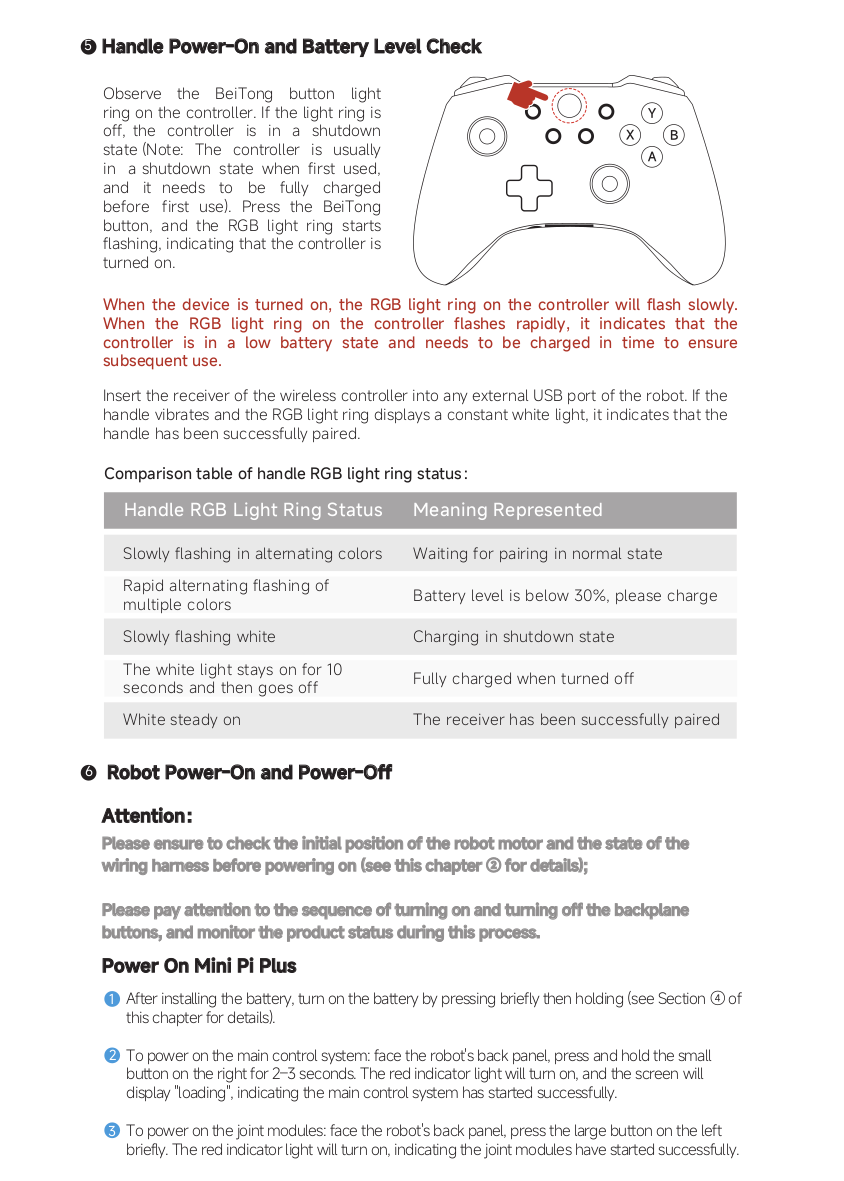
Step 4: Robot Ready