Safety and Teleoperation
This section describes safety precautions, teleoperation methods, and power-related operations. All instructions must be strictly followed to ensure safe and stable system operation.
Safety Guidelines
Before operating the system, carefully read and follow all safety instructions.
- Keep a safe distance from the robot during operation
- Do not touch moving joints or actuators
- Ensure no obstacles are present in the operating area
- Always operate the system in a controlled environment
- Be prepared to stop the system immediately if abnormal behavior occurs
Failure to follow safety guidelines may result in injury or equipment damage.
Emergency Stop
The system must always be operated with an accessible emergency stop method.
- Ensure you know how to immediately stop the system
- If any abnormal motion occurs, stop the system without delay
- Do not attempt to manually interfere with moving parts
Emergency stop should always be the first response to unsafe conditions.
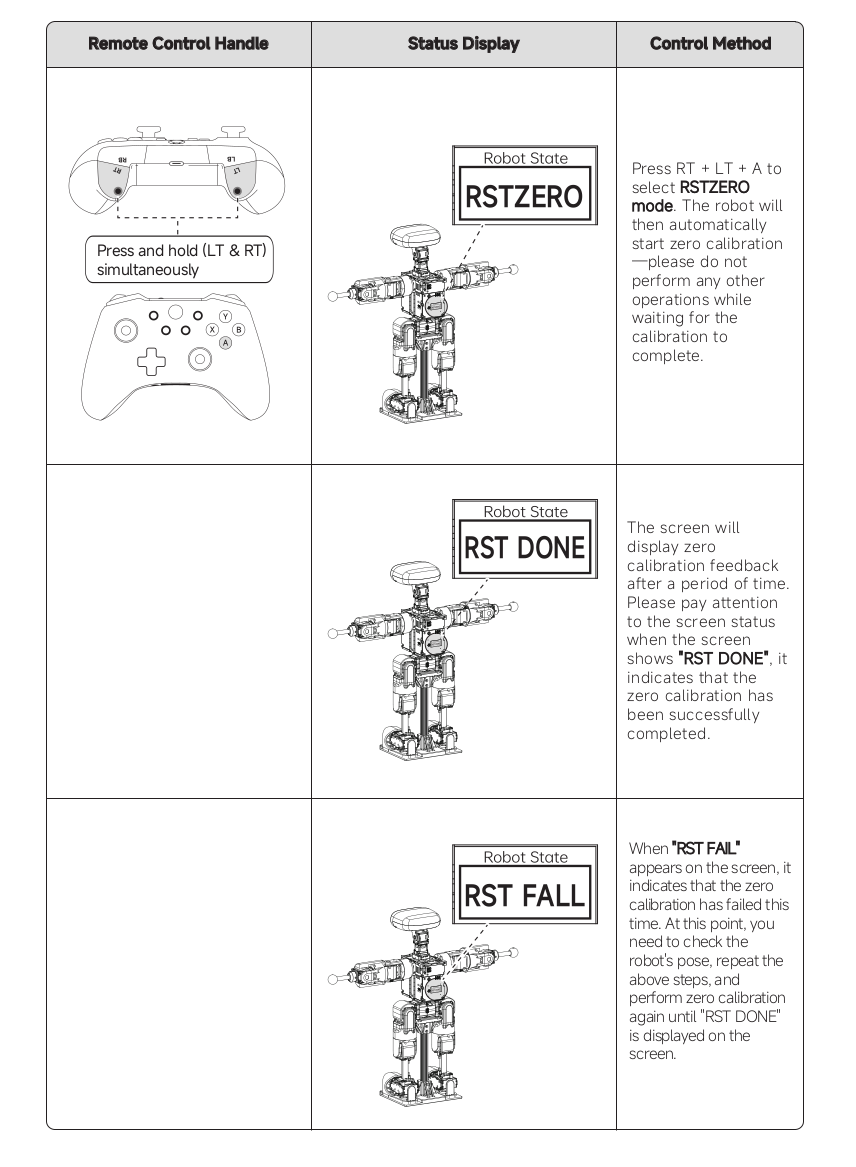
Zero Calibration Procedure
Step 1
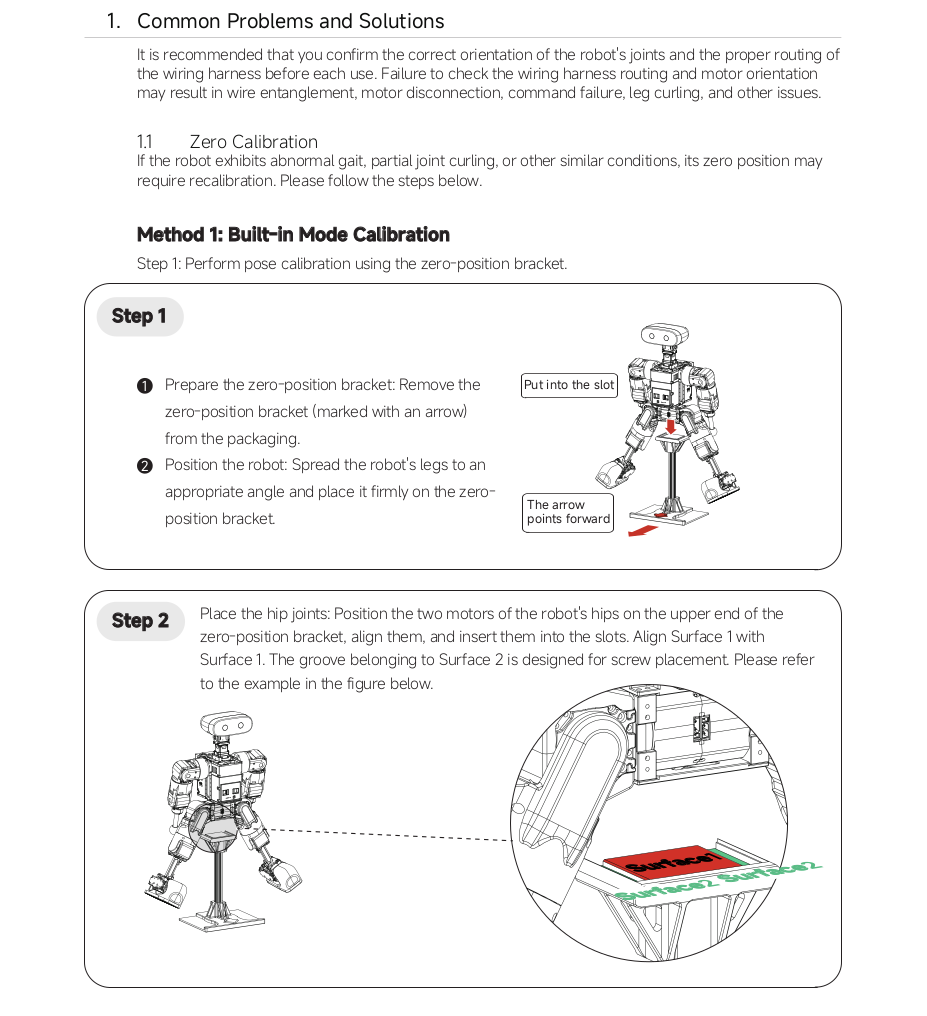
Step 2
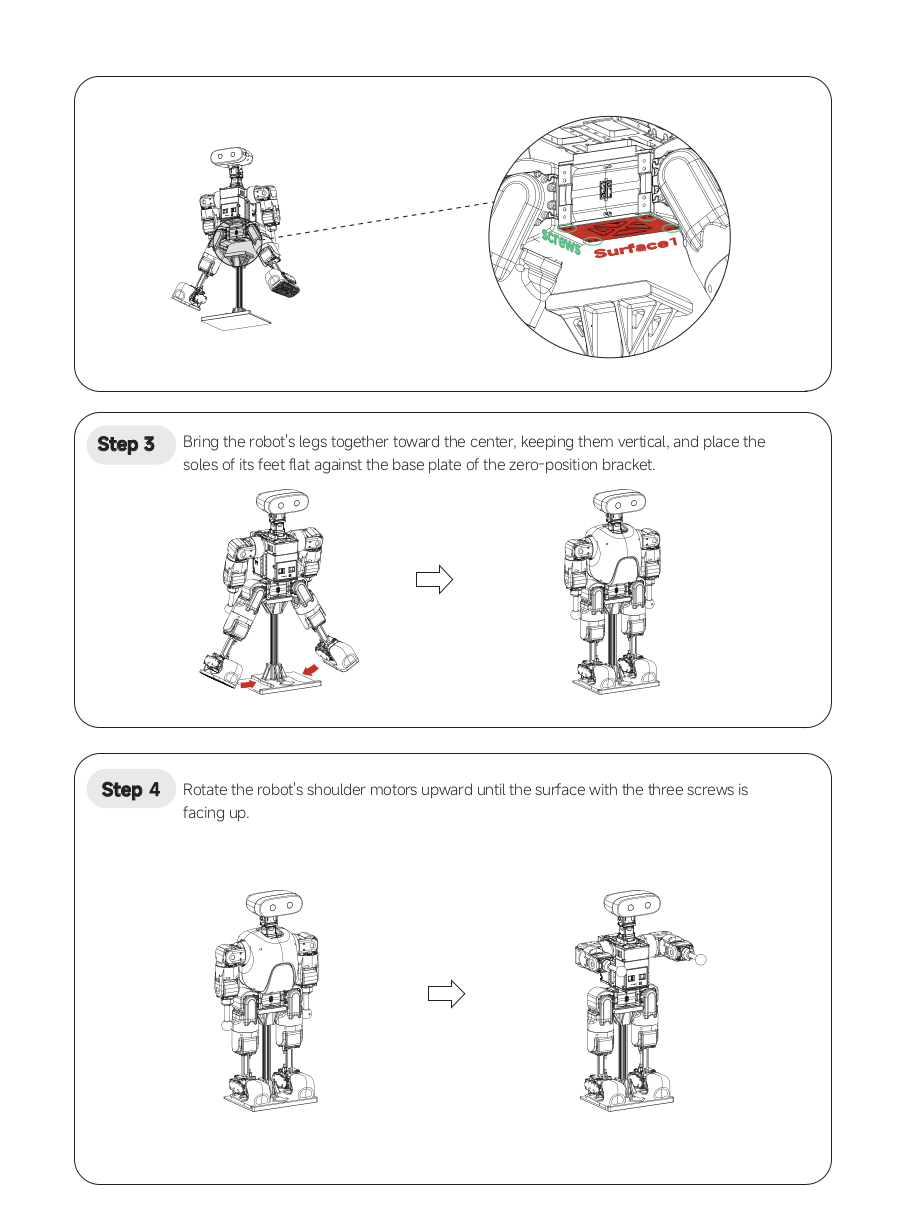
Step 3
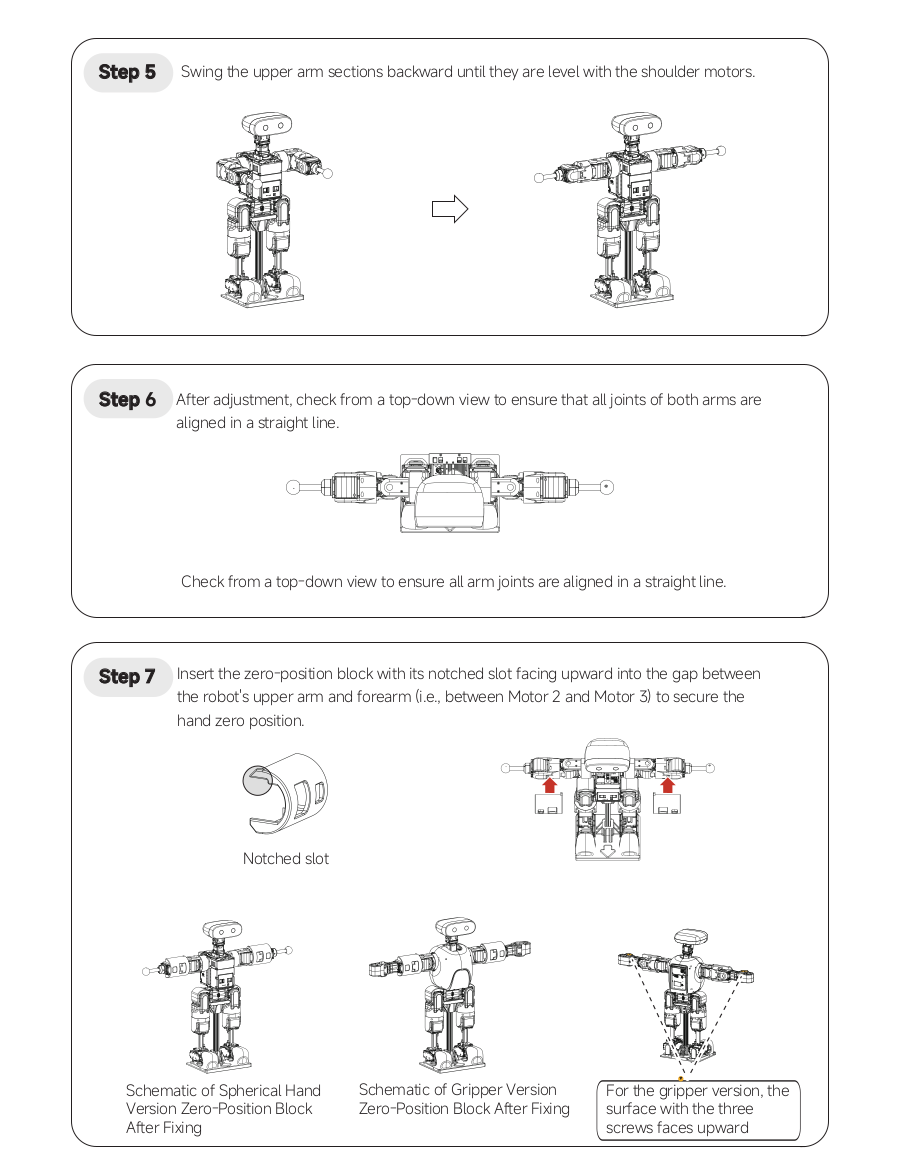
Step 4
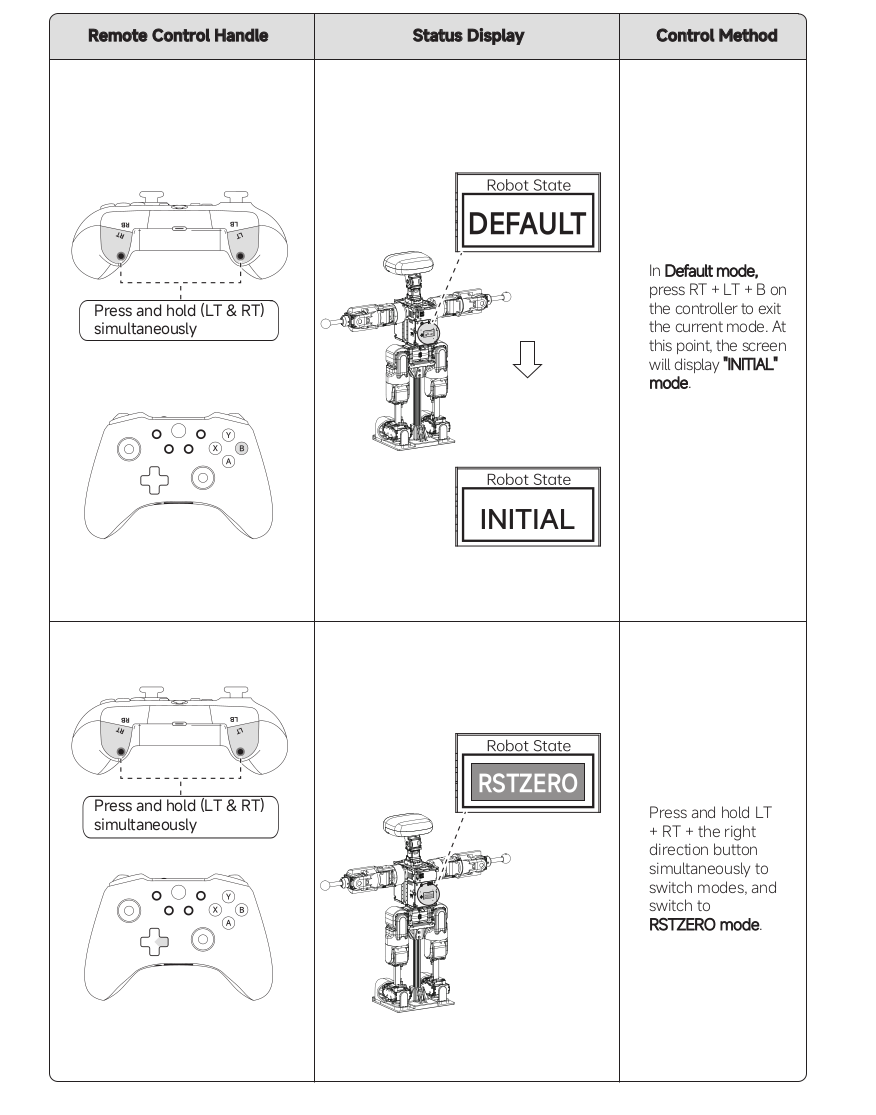
Step 5
Teleoperation Overview
The system supports teleoperation through external input devices such as controllers. Teleoperation allows the user to:
- Control robot movement
- Trigger predefined actions
- Interact with the system in real time
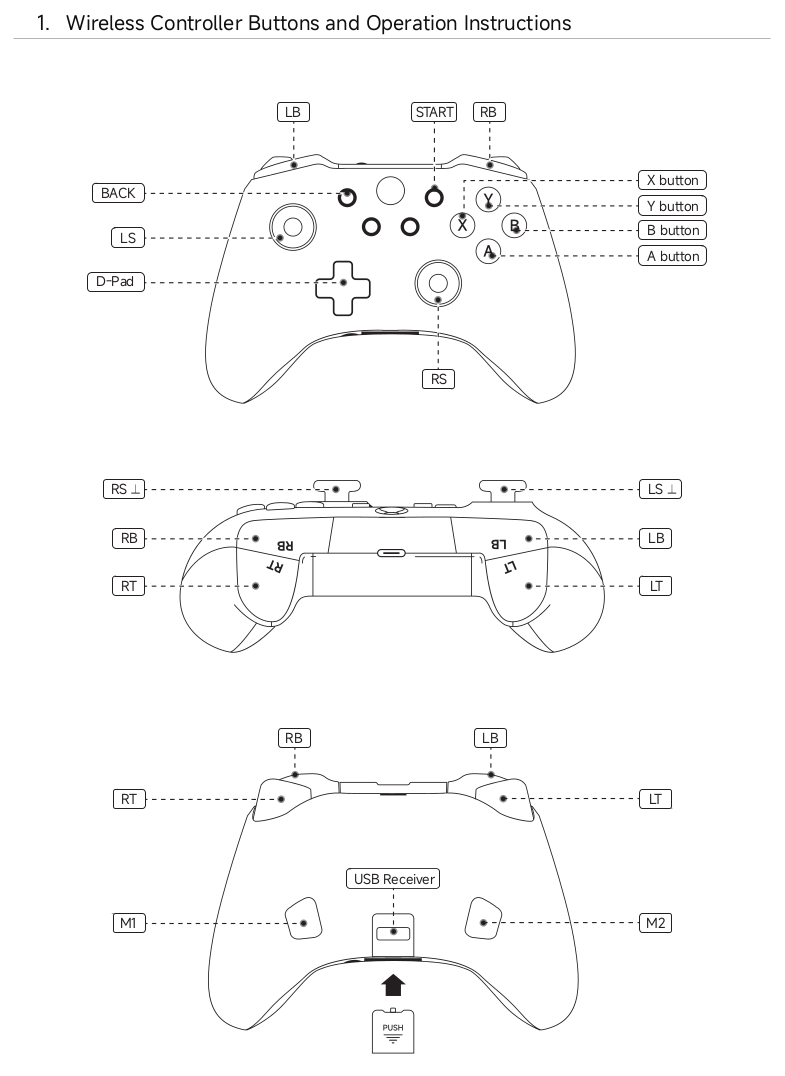
Controller Layout
Key Components:
- LS (Left Stick) — Translation (forward/back/left/right)
- RS (Right Stick) — Rotation (yaw)
- LT / RT — Trigger buttons
- LB / RB — Shoulder buttons
- D-Pad — Directional input
- START / BACK — System control
Running Basic Movements
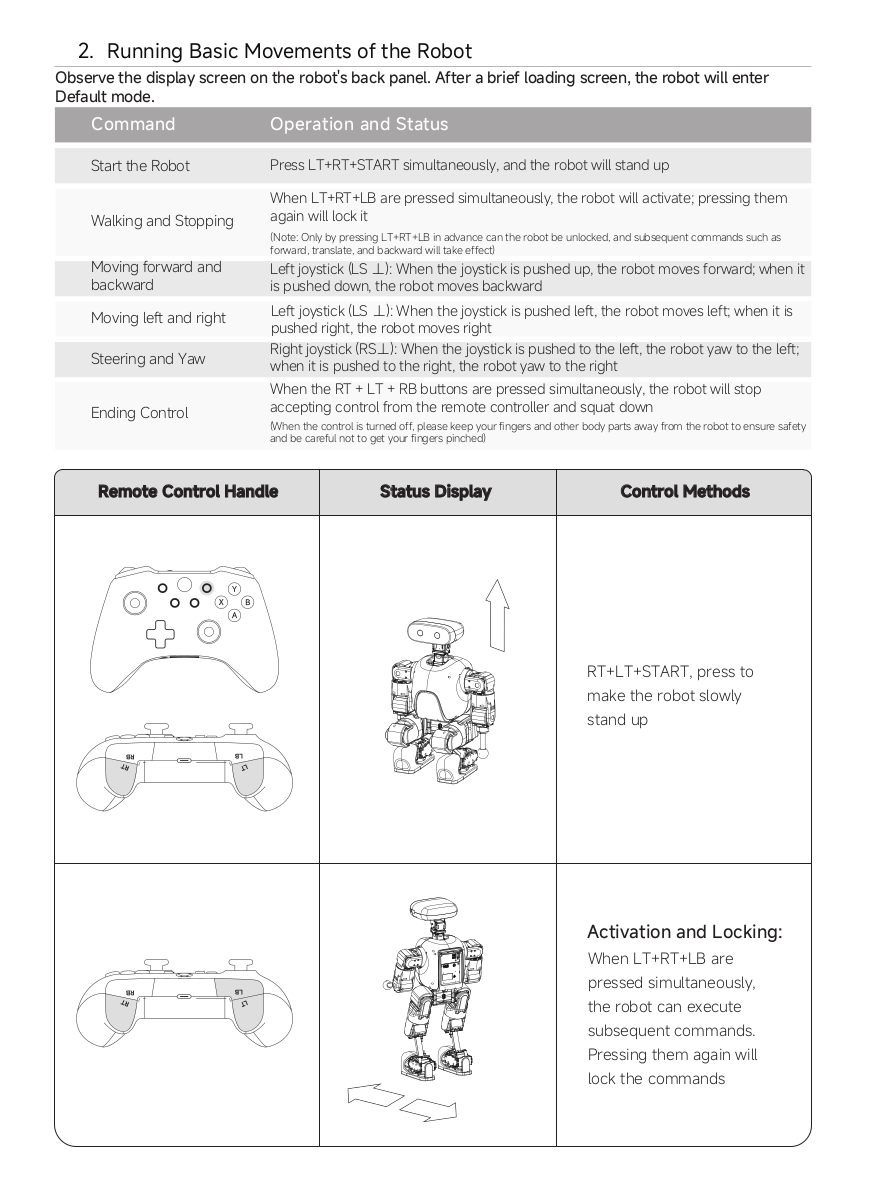
Start the Robot
- Press RT + LT + START
- The robot will stand up and enter default mode
Walking and Stopping
- Press RT + LT + LB
- First press → activate movement
- Press again → lock
Only after activation will movement commands take effect
Movement Control
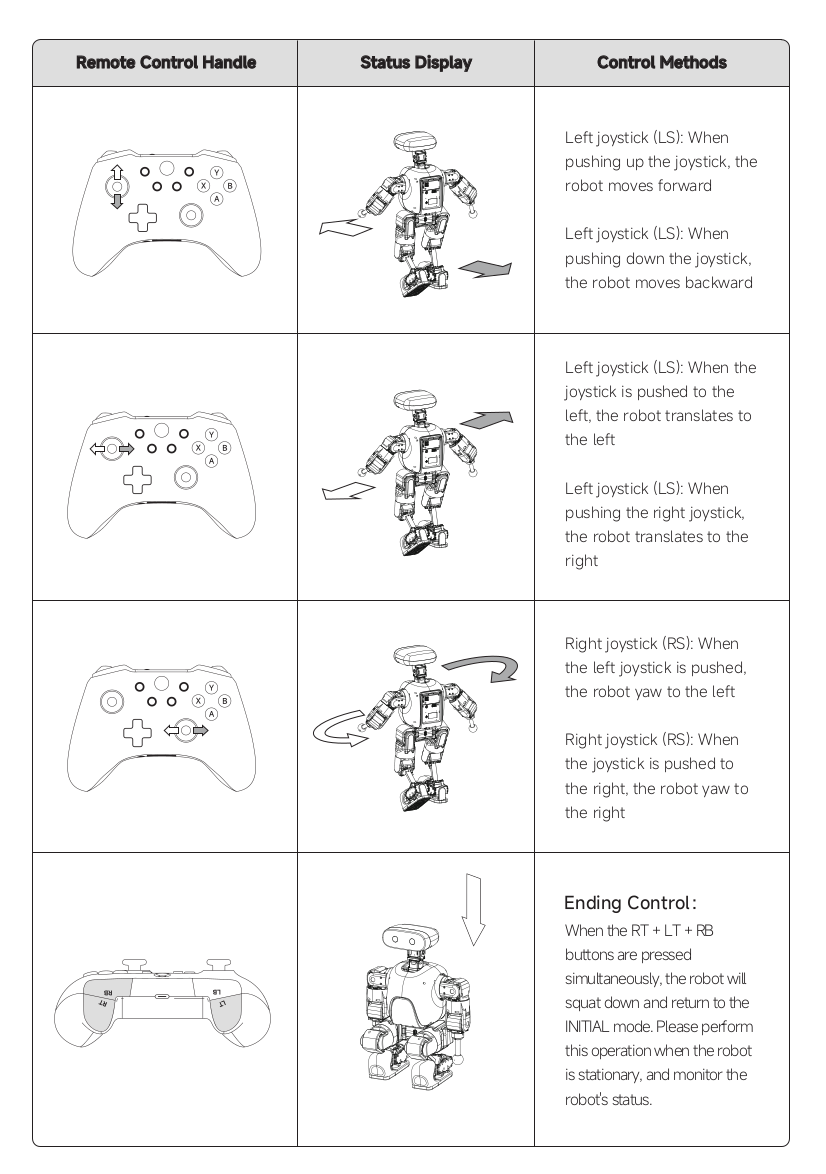
Forward / Backward
- Left joystick (LS):
- Push up → move forward
- Push down → move backward
Left / Right Translation
- Left joystick (LS):
- Push left → move left
- Push right → move right
Rotation (Yaw)
- Right joystick (RS):
- Push left → rotate left
- Push right → rotate right
Ending Control
- Press RT + LT + RB
- The robot will:
- Stop accepting control
- Squat down
- Return to INITIAL mode
Perform this when the robot is stationary
Accelerate and Algorithm Switching
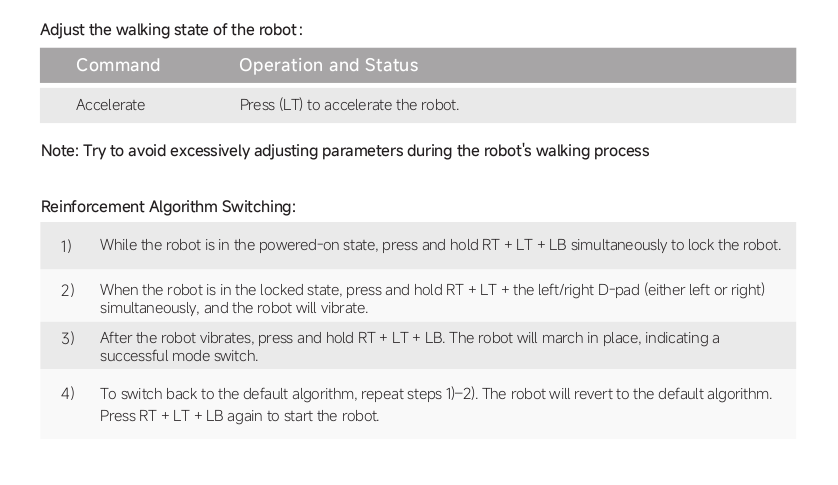
Accelerate
- Press LT to accelerate the robot
Avoid excessively adjusting parameters during walking
Reinforcement Algorithm Switching
-
While the robot is powered on: Press and hold RT + LT + LB → robot locks
-
In locked state: Press and hold RT + LT + D-Pad (left/right) → robot vibrates
-
After vibration: Press RT + LT + LB again → robot marches in place → switch successful
-
To revert to default algorithm: Repeat steps 1–2, then press RT + LT + LB
Teleoperation Control Guidelines
During teleoperation:
- Apply smooth and gradual inputs
- Avoid sudden or extreme commands
- Continuously observe the system response
Always maintain full attention while controlling the system.
Controller Setup
Before using teleoperation:
- Ensure the controller is properly connected
- Verify that the system recognizes the controller
- Confirm that input signals are correctly received
Unstable or incorrect input may cause unexpected behavior.
Power and Charging
Power Usage
- Use only the specified power supply
- Ensure stable power connection before operation
- Do not operate the system with unstable power sources
Charging
- Charge using the recommended method
- Do not overcharge
- Ensure proper ventilation
Improper charging may damage the system or reduce battery lifespan.
Shutdown Procedure
- Stop all ongoing operations
- Ensure the system is in a safe state
- Turn off the power supply
- Disconnect power after shutdown
Do not abruptly cut off power while the system is running.
Post-Operation Safety Check
After operation:
- Ensure the system is powered off
- Inspect for any visible damage
- Confirm that all components are in a safe state
Regular checks help maintain long-term system reliability.